










Another League of the CodigoPoker Club went down in history, although this time the one who celebrated was Manuel Blanco
In total, Blanco finished with 150 points, taking home the 500 dollars for first place. Additionally, he received the CodigoPoker kit consisting of a cap, hoodie, and t-shirt with our logo.
However, second place was shared among three players: the winners of dates #2, #3, and #4. That is: Enzo Villafañe
Therefore, after four rounds, the CodigoPoker Club League ended as follows:
Final Standings:
1st
2nd
3rd
4th
5th
6th
7th
8th
9th
10th
11th
In September, hopes are renewed
Starting this Thursday, from 21:00


How to find CodigoPoker Club freerolls at BC Poker
To play at BC Poker you must open an account on the room through our link: here at BC Poker. Once you have your user created from this link, you must search for the CodigoPoker Club freeroll within the room.
Read more The most impossible comeback in poker history — CodigoPoker
Open BC Poker here, go to “Play now”, log in and then, as you can see in the images below, you must first go to the “Tournaments” tab on the left of the screen and choose the “Freerolls” filter to display the CodigoPoker Club lobby.
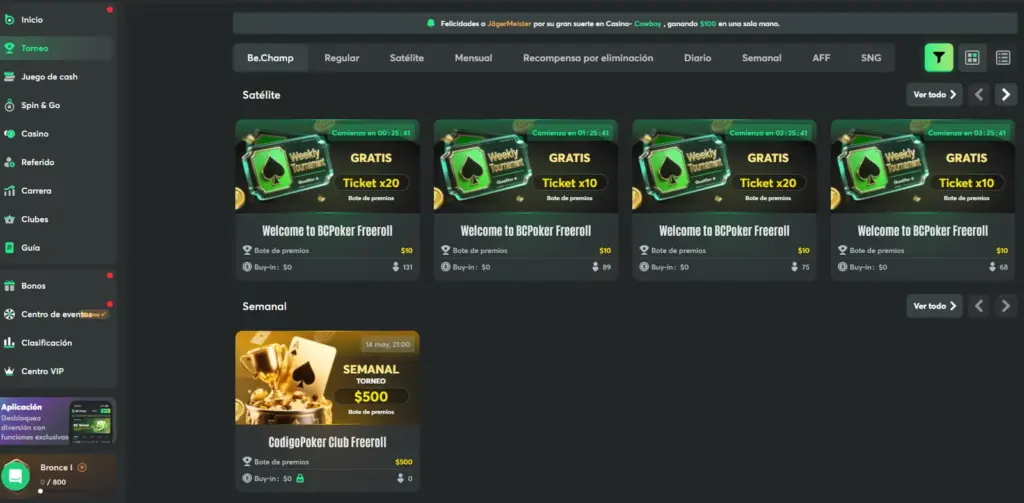
First Enter “Tournaments”…
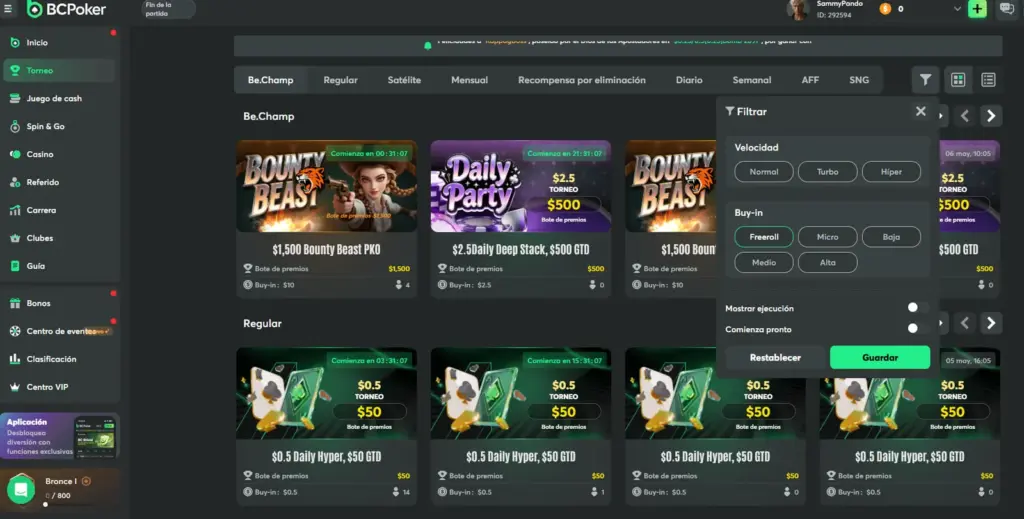
And Then Filter The Freerolls.
How to register for the club and have your nicks appear in the ranking
Additionally, you must go to CodigoPoker.com and log in to the site to find the passwords (on KKPoker it is not necessary, it is only for members). You can do that here: CodigoPoker.com/login. Then you must upload the nicks you use in each poker room, which will allow us to correctly identify the players and assign them ranking points.
And once you have done that, you just need to go to CodigoPoker.com/club and there you will find the password to register for the freeroll every Thursday.
Step 1) Go to the main menu of CodigoPoker and look for “CodigoPoker Club”
Click there and continue.
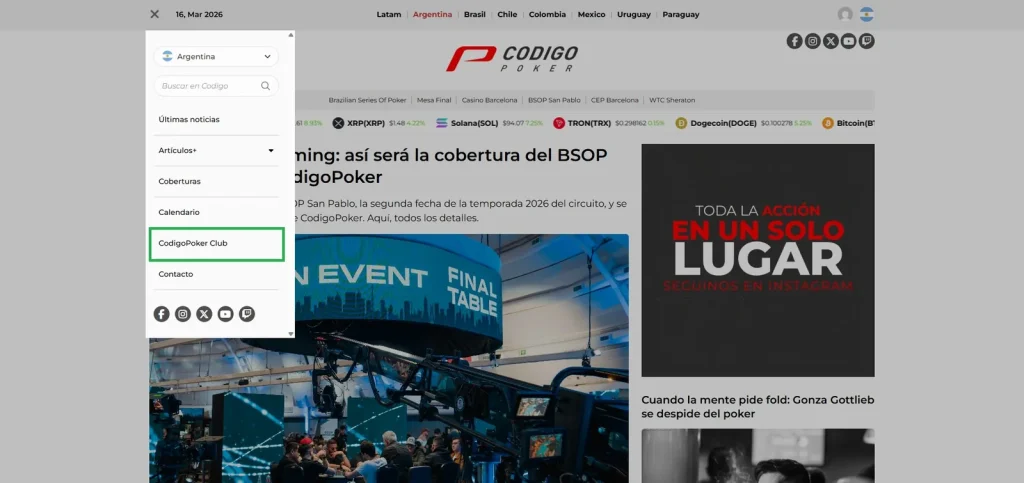
You will find it in the menu at the top left of the screen.
Step 2): Register to see the password
You must enter where it says “register for free to access the password”.
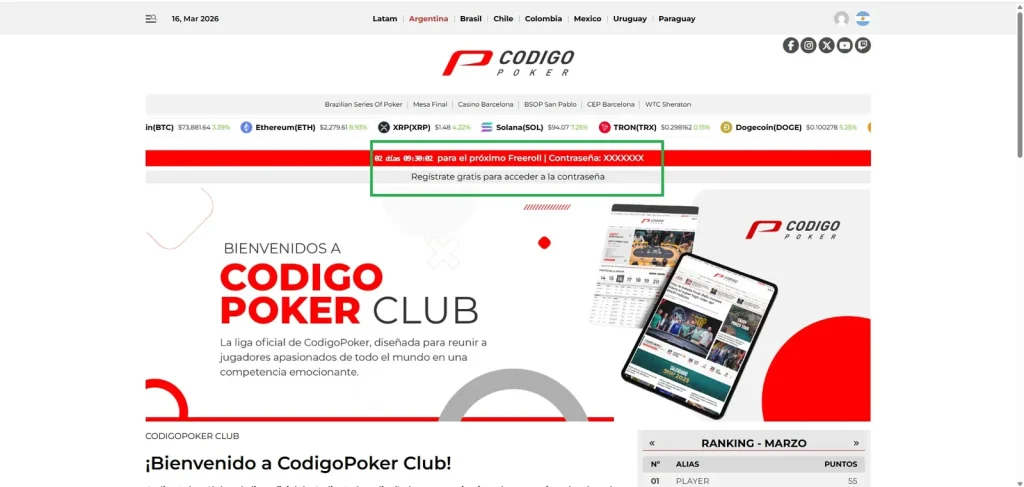
Once You Have Registered, You Will Stop Seeing The Password As “Xxxxxxxxxx”.
Step 3): Log in with email
Once here, just click there to continue.
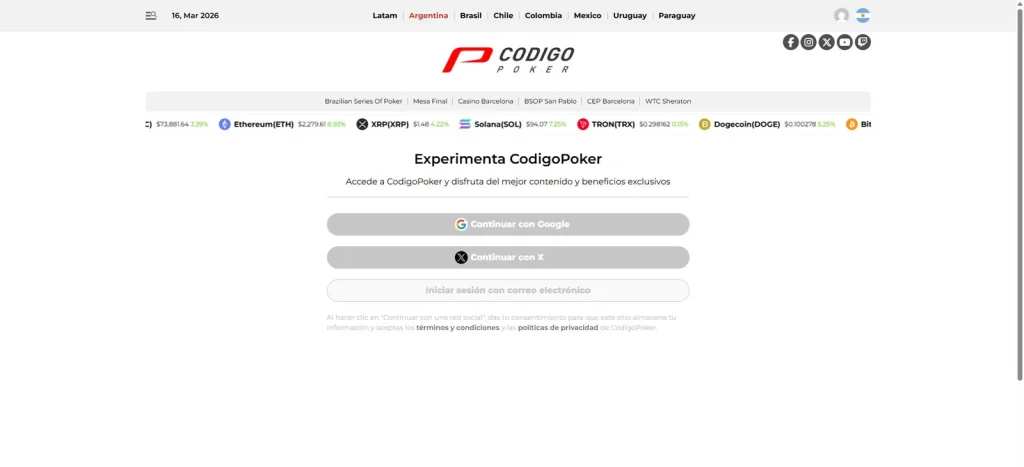
The Different Ways To Register On Codigopoker.
Step 4): Username and password
Here you must choose a username and your password.
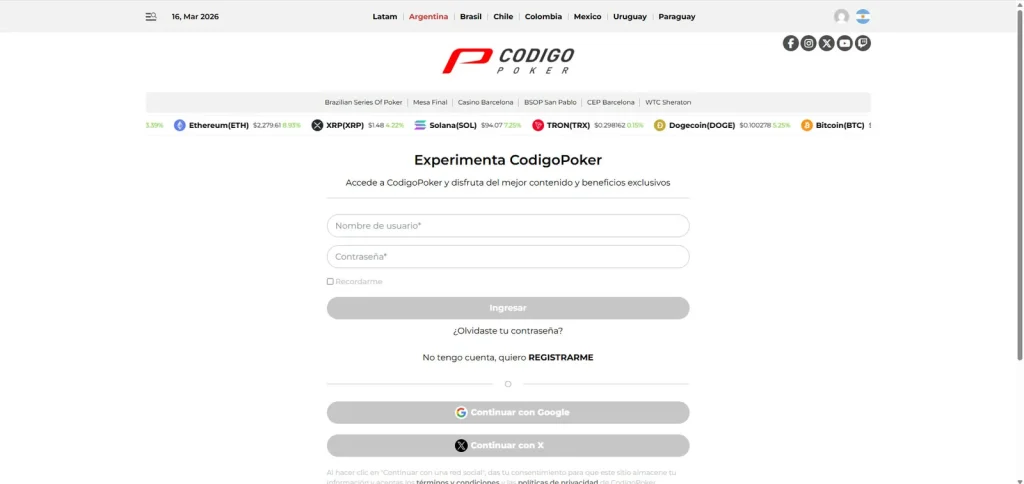
Only A Few More Steps Remain.
Step 5): Most important: complete your data and your nicks from the rooms
This is key: beyond your personal data, you must register the nicks you chose to play in each room. Only then will we know who you are and be able to assign you points for the monthly ranking.
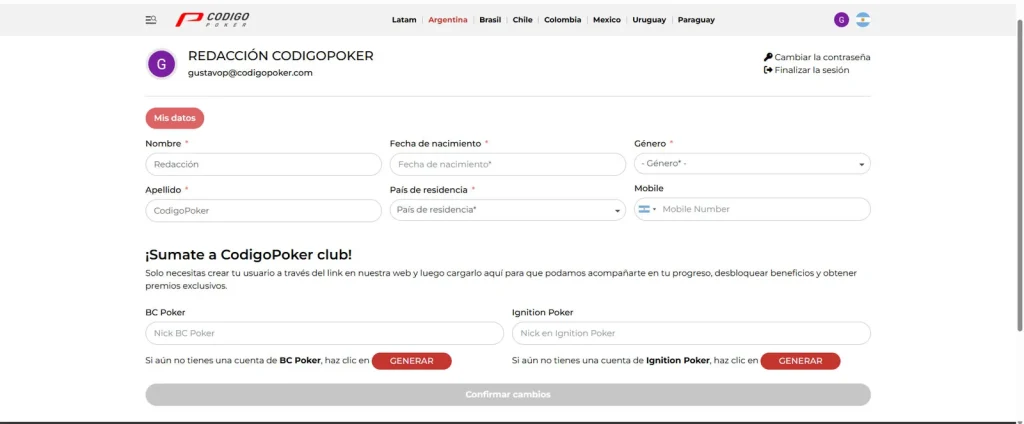
Leaving The Nicks Chosen In Each Room Is Key To Appearing In The Ranking.
Step 6): Done, you are registered!
Once you have completed everything, you will be able to see the password for the next freeroll.
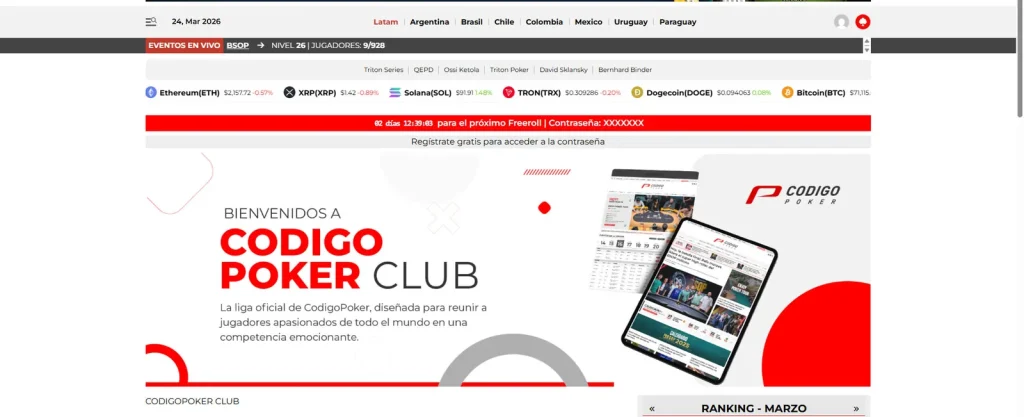
Now You Just Need To Open The Room, Find The Freeroll And Register With The Password You Will See Where The “Xxxxxxxxx” Are.
Read more The winner’s tilt: when running well can make you play badly — CodigoPoker